Exploring Modal's Interactive Code Playground: Architecture and Limitations
- Gate
- Machine Learning
- Departs
- Crew
- Rachel Park
- Passengers
- 424
Modal's new interactive code playground allows users to execute code easily in the cloud, featuring robust tutorials but constrained by its environment.
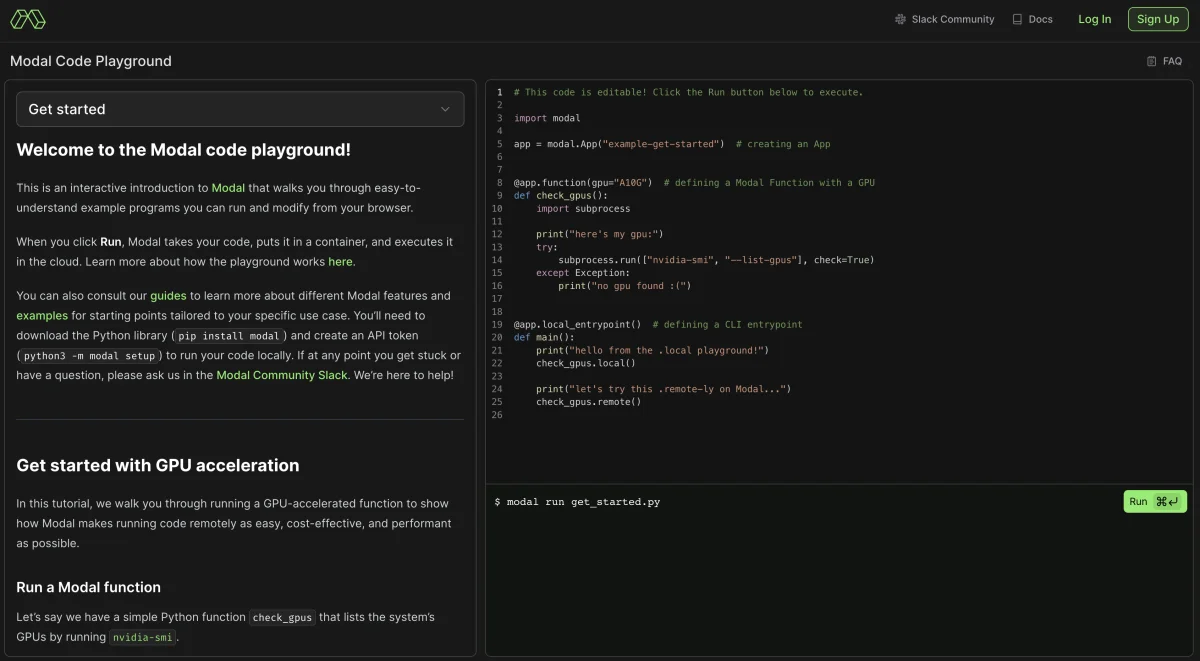
Introduction to Modal's Interactive Playground
Modal has designed its interactive code playground to simplify the experience of running code in the cloud, allowing users to quickly and easily write and execute code directly through their web browser. This platform is particularly useful for curious developers testing Modal's features without the need for local installation, as well as experienced users looking to explore new functionalities.
New User Experience
For users new to Modal, the playground includes a series of interactive tutorials aimed at introducing core features and guiding them through the cloud coding process. Modal plans to expand these resources over time, enhancing the educational aspect and functionality of the playground as part of its mission to foster user engagement and skill development.
How the Playground Works
The implementation of the in-browser code execution environment involves several key components and processes that ensure security and efficiency. Utilizing Modal's own ecosystem, the playground is built around the execution of user-submitted code in isolated environments, protecting both the users and the system from potentially harmful operations.
Backend Implementation
The backend of the playground leverages Modal's proprietary Modal Sandboxes for secure execution. This system allows the dynamic creation of isolated containers, establishing the necessary compute resources for running user code. Here is a step-by-step outline of the process that occurs upon a user submitting their code:
- The frontend sends an authenticated HTTP request to the web server, which then relays this to a Modal App associated with a Web Function.
- The Modal app initiates a
modal.Sandboxinstance, loading themodalpackage along with a file that contains the user’s code. The execution occurs within this sandbox, utilizing the user's ephemeral token for authentication and access to their workspace. - As the code runs, the output and any errors are streamed back to the server, and the sandbox is automatically disposed of after processing completes.
This streamlined process for executing untrusted code demonstrates Modal's capabilities while minimizing risk. Implementing such an environment required only concise Python programming, showcasing its efficiency and elegance.
Frontend Design Choices
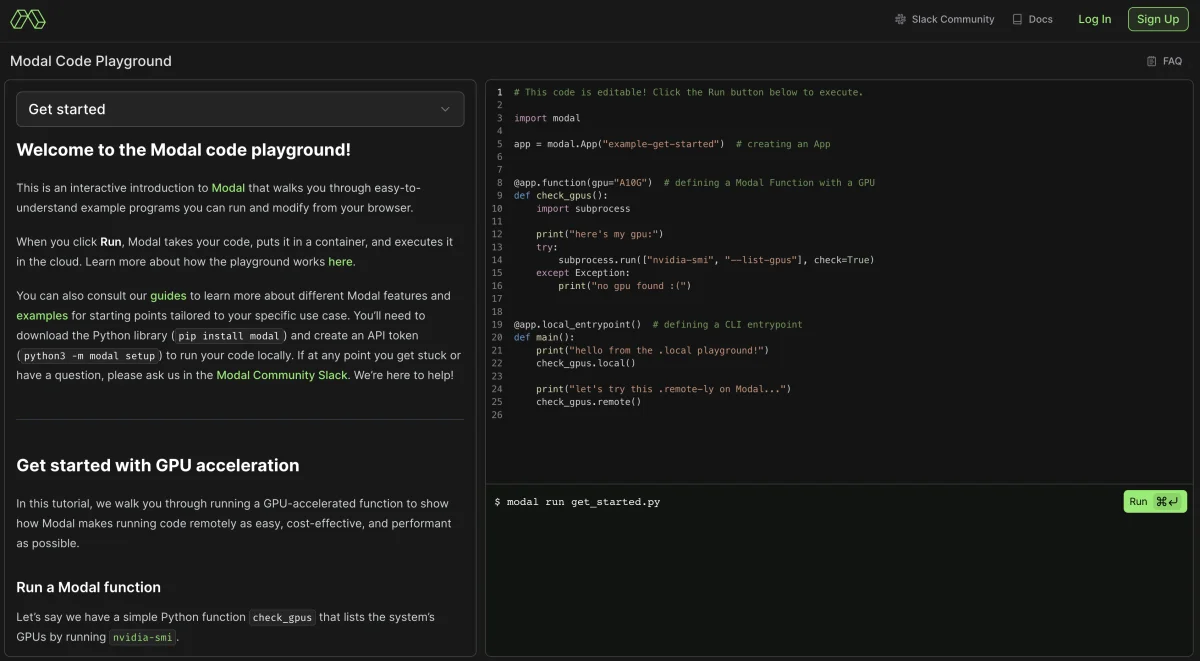
On the frontend, Modal has harnessed existing JavaScript libraries to create a user-friendly programming interface. Tools like CodeMirror power the code editor, while Xterm.js provides an integrated terminal experience. Currently, output from the sandbox is streamed to a simulated console, but plans for a command-line interface are on the horizon, enhancing interactivity and user experience.
Limitations of the Playground
While the playground serves as a robust tool for experimentation and learning, it does come with several limitations that users should be aware of. Unlike a fully-featured development environment, the playground operates within a constrained setting—specifically a remote Debian Linux container with a basic Python setup. Consequently, only the modal run command is available, which restricts access to the full range of Modal's functionalities.
To fully leverage Modal’s capabilities, such as deploying Web Functions, incorporating local files, and interacting with running containers, Modal encourages users to download and set up the Python package locally:
pip install modalpython3 -m modal setup
Looking Forward
Modal's main goal with the playground is to provide a user-friendly space for exploration and learning. It serves as an attractive entry point for new users while providing seasoned developers with an avenue to experiment with the platform's features. Additionally, users can consult Modal's comprehensive guides for in-depth information and best practices, as well as examples to see how various features can be combined for specific applications.
With the ongoing developments planned for the playground, it’s clear that Modal is focused on enhancing user experience and functionality, ensuring that both new and veteran users can maximize their use of the platform. Get started with the Modal playground today and explore its potential!