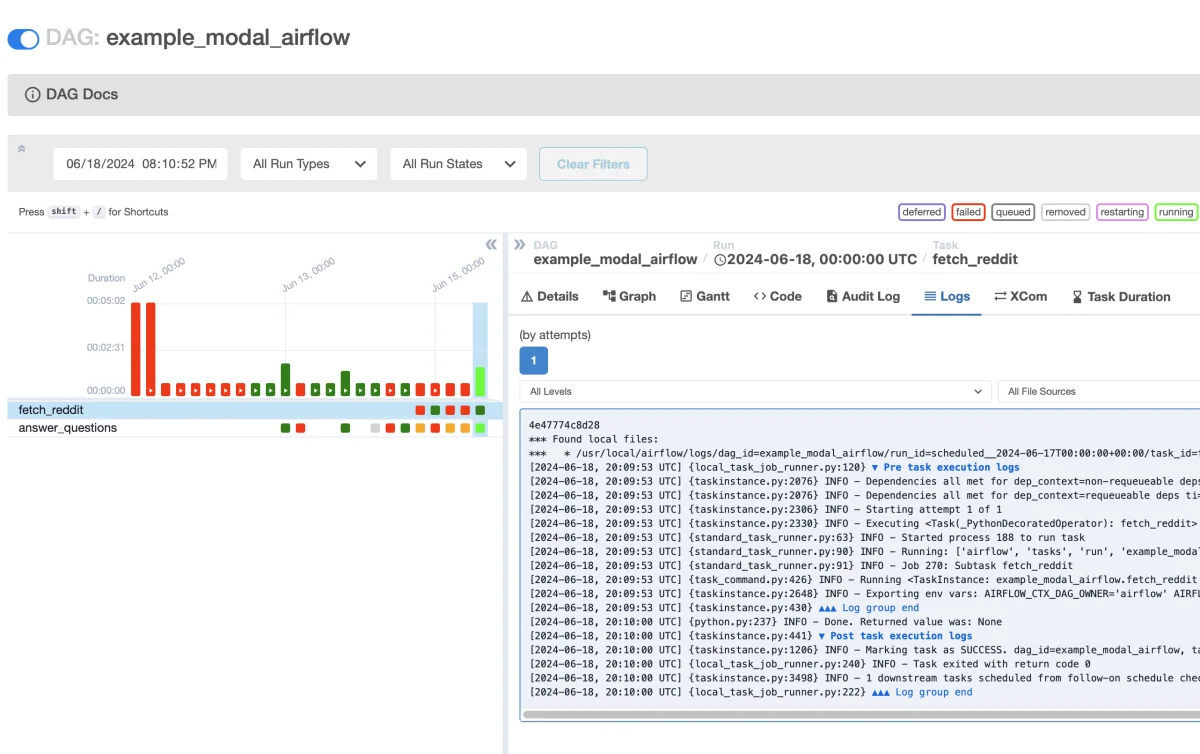
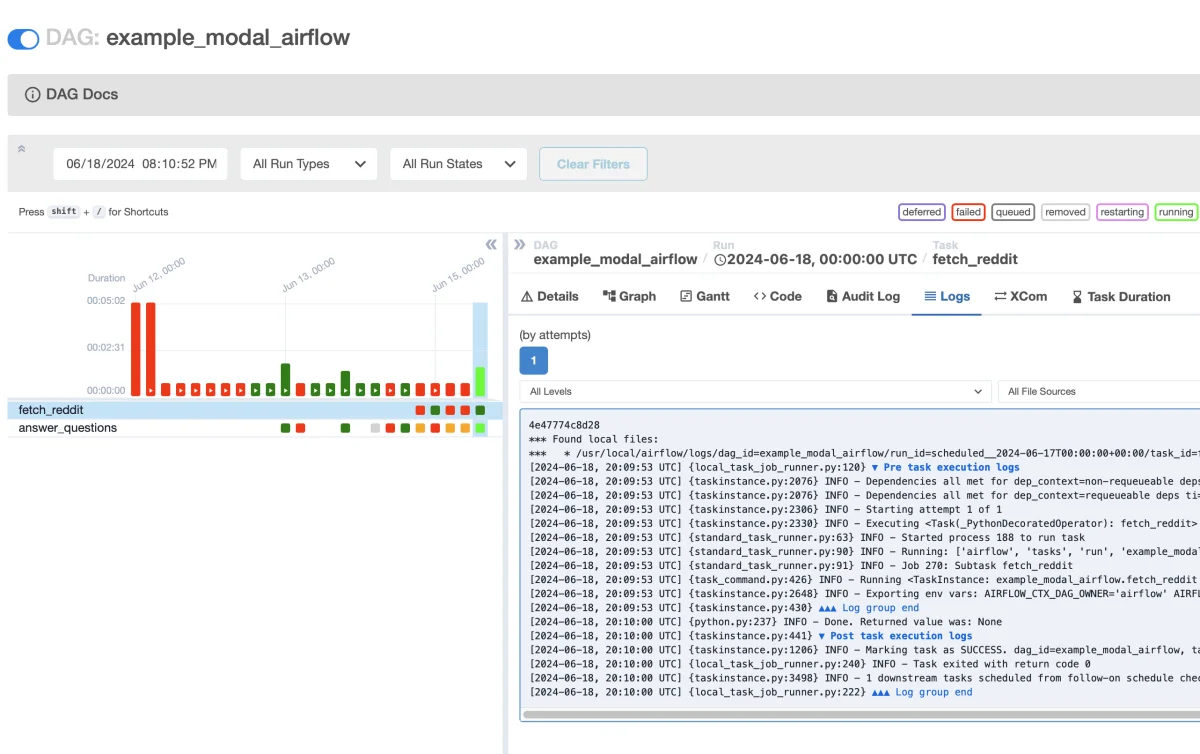
Learn how to effectively run GPU jobs using Modal in your Airflow workflows, enhancing scalability and simplifying setup.
Managing multi-stage workflows is a common requirement for many teams, and Airflow is often the tool of choice. However, scaling these workflows from local setups to production environments can be fraught with challenges, primarily when leveraging backends like Celery or Kubernetes. These systems can be complex and time-consuming to configure, especially when GPU resources are needed for AI and machine learning tasks. Enter Modal: a more straightforward alternative for managing GPUs and containerized environments, particularly tailored for AI and ML workflows.
Modal simplifies execution and scaling of GPU jobs and can be seamlessly triggered from an Airflow Directed Acyclic Graph (DAG). Serving as an alternative to Celery or Kubernetes executors, Modal retains scalability without the installation complexity associated with traditional backends.
This article walks through the essential steps to integrate Modal with Airflow, specifically:
Setting up Modal in your Airflow environment
Configuring Modal token ID and secret in Airflow
Deploying Modal Functions and invoking them via the lookup method
Creating a custom Operator that utilizes Modal Sandboxes
Setting Up Modal in Your Airflow Environment
For optimal development and management of your Airflow setup, the Astro CLI, provided by Astronomer, is recommended. This CLI facilitates local Airflow development.
To incorporate Modal into your Airflow environment, simply add modal to the requirements.txt file within your Astro project. For users without an existing Astro project, download the Astro CLI and initialize your project with astro dev init. For those utilizing Astro Hosted, the dependencies will be automatically included in your deployment when executing astro deploy.
Configuring Your Modal Token
To utilize Modal effectively, you need to set up the following environment variables in your Airflow environment:
MODAL_TOKEN_ID
MODAL_TOKEN_SECRET
If you have Modal set up locally, the token ID and secret can be found by executing cat ~/.modal.toml. New token credentials can be generated from your Modal Settings.
For local development, these environment variables can be defined in the .env file of your Astro project. Once you're ready for production, synchronize these to the production deployment using appropriate steps.
Deploying Modal Functions and Using Lookup
Best for: Existing Modal users with deployed Functions and teams seeking separation between Airflow and Modal deployment processes.
Assuming you have a Modal App named example-modal-airflow with two defined Functions:
fetch_reddit: This Function scrapes ELI5 questions from Reddit.
answer_questions: This Function utilizes a large language model (LLM) to answer the scraped questions and requires GPU resources (take a look at this example for more insights).
Upon deploying this App in your workspace with modal deploy, it can be directly invoked from Airflow using lookup and remote calls.
"""
Airflow DAG using Modal lookup
"""

from airflow.decorators import dag, task
from datetime import datetime
from modal import Dict, Function

@dag(
    start_date=datetime(2024, 1, 1),
    schedule="@daily",
    catchup=False,
    doc_md=__doc__,
    tags=["example"],
)
def example_modal_airflow():
    # create dict for storing results
    d = Dict.from_name("reddit-question-answers", create_if_missing=True)

    @task()
    def fetch_reddit(**context) -> None:
        """
        This task gets the 100 newest ELI5 questions from Reddit
        """
        # look up function in our deployment
        f = Function.from_name("example-modal-airflow", "fetch_reddit")
        questions = f.remote()
        for q in questions:
            d[q] = None  # store questions first

    @task()
    def answer_questions(**context) -> None:
        """
        Uses LLM example to answer the questions
        """
        # look up inference function
        f = Function.from_name("example-modal-airflow", "answer_questions")
        questions = list(d.keys())
        answers = f.remote(questions)

        # update dict with answers
        for i in range(len(questions)):
            d[questions[i]] = answers[i]

    # define dependencies
    fetch_reddit() >> answer_questions()

# instantiate DAG
example_modal_airflow()
You can initiate this DAG by running astro run example_modal_airflow() via your terminal or by manually triggering it through the Airflow UI.
Logs for each invocation will be accessible on the Modal dashboard, including GPU utilization metrics for the LLM tasks.
Passing Data Between Tasks
For intermediate storage between tasks, we are utilizing a Modal Dict that allows easy inspection, aiding in debugging. Additionally, there are various options for passing data:
Use Airflow XComs for direct data passing, which utilizes the metadata database in your Airflow deployment. However, this approach is limited in size, particularly if you’re using Postgres where the limit stands at 1GB. In contrast, Modal Dicts support a limit of 10GB.
Store data by mounting a Volume in your Modal function, which provides a more natural way to handle files and directories.
Creating a Custom Operator with Modal Sandboxes
Best for: Existing Airflow users desiring straightforward GPU access directly within DAG code.
Alternatively, you can create a custom Operator in Airflow to leverage Modal Sandboxes for running Python code dynamically defined at runtime.
Your directory structure will typically resemble this:
In modal_operator.py, you define a custom Operator. This Operator effectively allows reusability of code across tasks that require the same service. Here’s a glimpse of its structure:
# include/modal_operator.py

from airflow.models.baseoperator import BaseOperator
import inspect
import modal

class ModalOperator(BaseOperator):
    """
    Custom Airflow Operator for executing tasks on Modal.
    """

    def __init__(self, client, fn, sandbox_config, *args, **kwargs):
        super().__init__(*args, **kwargs)
        self.client = client
        self.fn = fn
        self.sandbox_config=sandbox_config

    def execute(self, context):
        # converts the Python function object into an executable string
        fn_lines = inspect.getsourcelines(self.fn)[0]
        fn_lines.append(f"{self.fn.__name__}()")
        fn_as_string = "".join(fn_lines)

        # runs the function in a Modal Sandbox with the provided config
        sb = modal.Sandbox.create(
            "python",
            "-c",
            fn_as_string,
            client=self.client,
            app=self.app,
            **self.sandbox_config
        )
        sb.wait()
        return sb.stdout.read()
Subsequently, you'll define fetch_reddit within scripts.py:
# dags/utils/scripts.py

def fetch_reddit():
    import os
    import praw

    # Reddit client secrets stored as Modal Secrets
    reddit = praw.Reddit(
        client_id=os.environ["CLIENT_ID"],
        client_secret=os.environ["CLIENT_SECRET"],
        user_agent="reddit-eli5-scraper",
    )
    subreddit = reddit.subreddit("explainlikeimfive")
    questions = [topic.title for topic in subreddit.new()]
    file_path = "/data/topics.txt"
    print(f"Writing data to {file_path}")
    with open(file_path, "w") as file:
        file.write("\n".join(questions))
Finally, integrate this script with your Operator into a DAG:
# dags/example_modal_operator.py

"""
## ModalOperator + Sandboxes example
"""

from airflow.decorators import dag
from include.modal_operator import ModalOperator
from dags.utils.scripts import fetch_reddit
from datetime import datetime
import modal
import os

@dag(
    start_date=datetime(2024, 1, 1),
    schedule="@daily",
    catchup=False,
    doc_md=__doc__,
    tags=["example"],
)
def example_modal_operator():
    reddit = ModalOperator(
        task_id="fetch_reddit",
        client=modal.Client.from_credentials(
            token_id=os.environ["MODAL_TOKEN_ID"],
            token_secret=os.environ["MODAL_TOKEN_SECRET"],
        ),
        fn=fetch_reddit,
        sandbox_config={
            "image": modal.Image.debian_slim().pip_install("praw"),
            "secrets": [
                modal.Secret.from_name("reddit-secret")
            ],
            "volumes": {
                "/data": modal.Volume.from_name("airflow-sandbox-vol")
            },
        },
    )
    reddit

# instantiate the DAG
example_modal_operator()
This DAG structure facilitates the execution of your fetch function within a Modal Sandbox, allowing for a clean separation of dependencies and management.
Conclusion: Synergy Between Airflow and Modal
The primary advantage of combining Modal with Airflow lies in the capability to isolate task environments. This integration removes the need for a complex deployment process that often involves building Docker images and managing Kubernetes infrastructures.
For Modal users, creating custom images and configuring GPU access can be achieved with minimal overhead, thanks to function decorators. Simultaneously, Airflow offers a unified control pane for overseeing complex, multi-stage data pipelines. This powerful combination allows teams to benefit from enhanced observability in data pipelines alongside effortless GPU container management.
Are You an Astronomer and Modal Customer?
If you’re part of the Astronomer and Modal community, it's worth trying to incorporate Modal into your workflows as we aim for deeper integration. For feedback or inquiries regarding becoming a design partner, please contact [email protected] or reach out to Astronomer support.