Memory Snapshots Enhance Serverless GPU Container Performance by Reducing Cold Start Times
- Gate
- Machine Learning
- Departs
- Crew
- Jonathon Belotti
- Passengers
- 976
Modal's introduction of memory snapshots significantly decreases cold start latency in GPU container runtimes, offering boosts in performance over traditional approaches.
Introduction to Memory Snapshots
Modal, a serverless GPU container runtime, has implemented an innovative solution aimed at improving the performance of Functions that often face cold start latency. The company's approach focuses on reducing this latency, which occurs when a new container starts up to handle incoming requests. To mitigate this issue, Modal now utilizes memory snapshots, which can reduce cold start latency by more than 50%.
Understanding Memory Snapshots
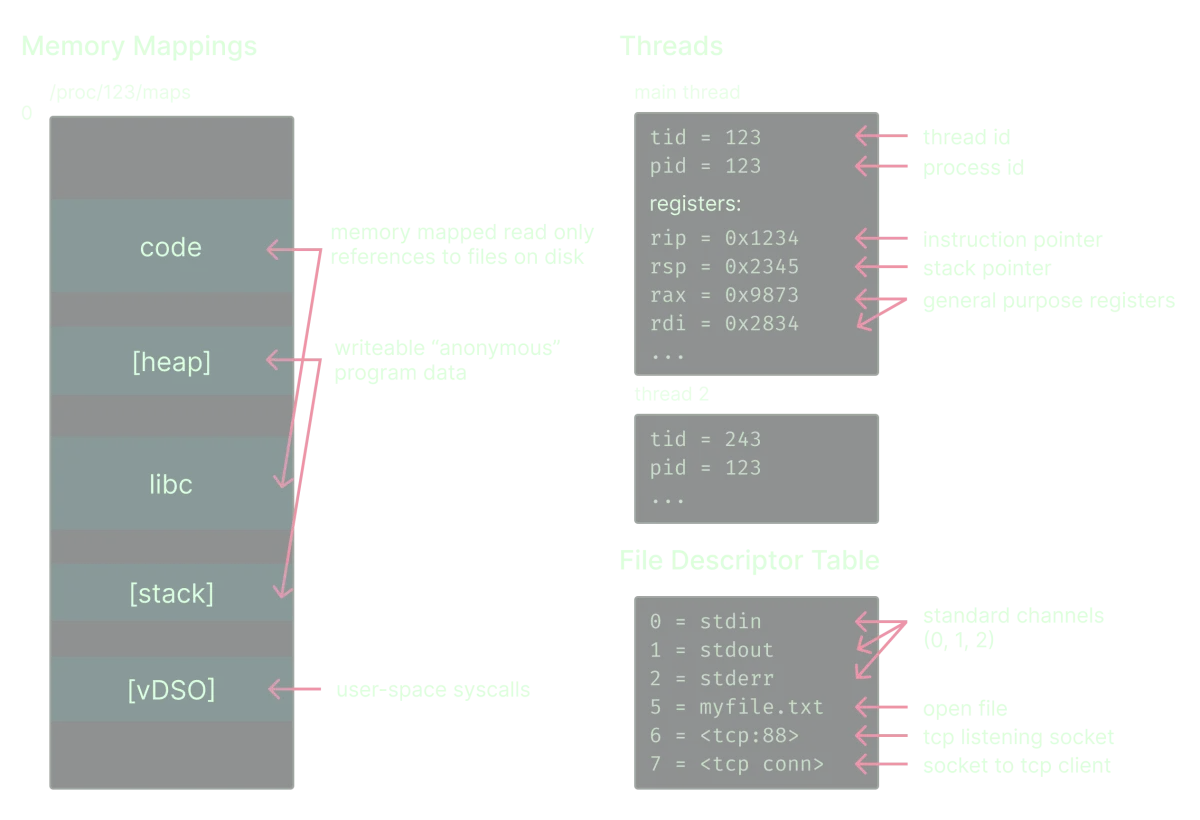
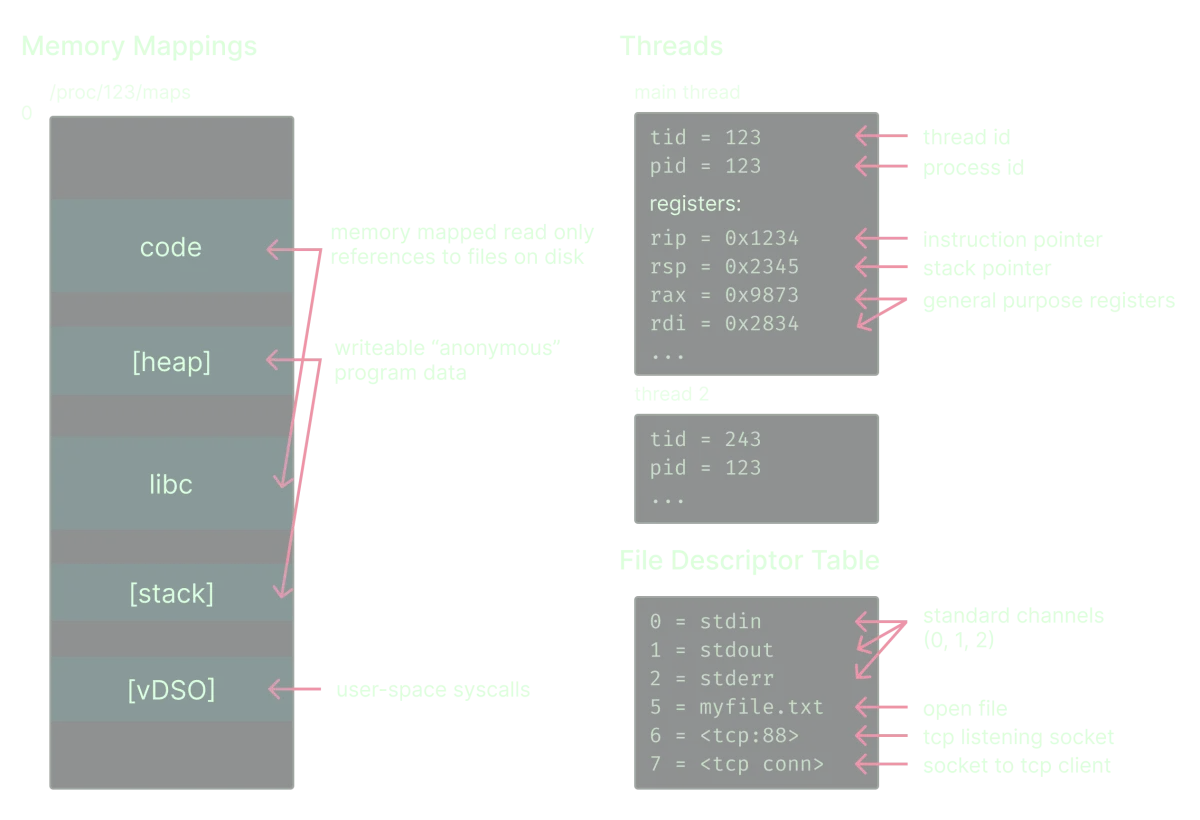
A memory snapshot in Modal consists of several files that capture the complete state of a Linux container just before it begins accepting requests. This includes the container's filesystem changes, as well as its entire process tree, which encompasses critical elements such as memory mappings, file descriptor tables, registers, environment variables, and process IDs.
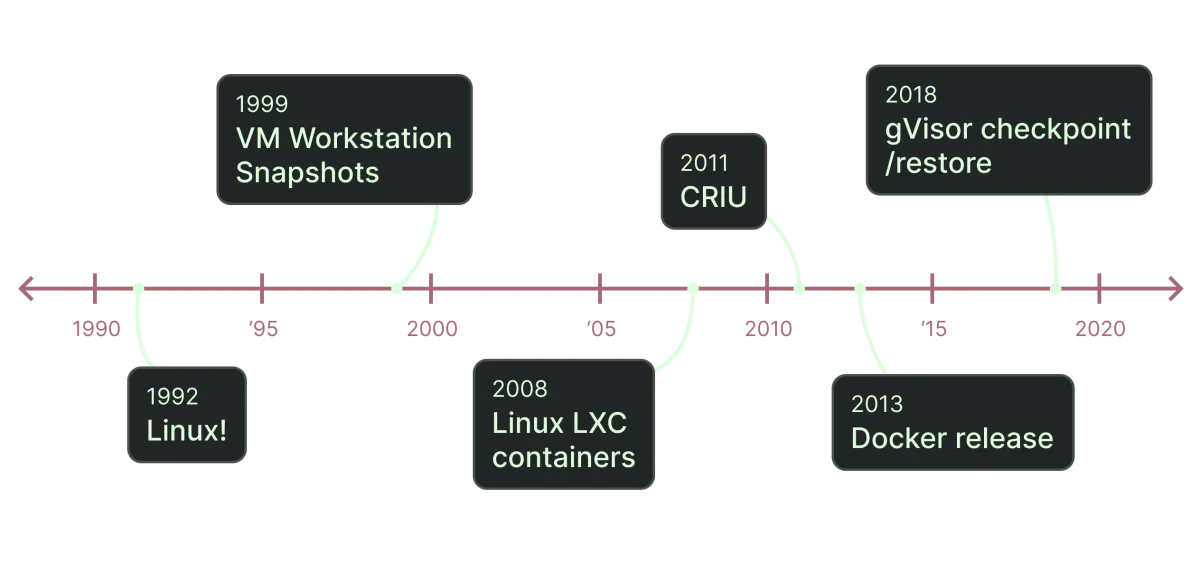
Through this mechanism, Modal is able to fully restore a Python program, albeit with some exceptions—specifically, active network connections and the state of NVIDIA GPUs. The concept of container snapshotting originates from the ‘checkpoint/restore in userspace’ (CRIU) Linux kernel technology, which allows for saving and restoring Linux containers, even across different machines.
Comparing Checkpoint/Restore and Lazy Loading
The speed advantage of restoring a container snapshot using gVisor’s runsc restore over a standard runsc run container start-up isn’t immediately apparent. The primary reason stems from Python’s import system, which involves executing thousands of sequential filesystem operations to prepare a program for execution.
For instance, importing the torch library requires 26,000 system calls, a process that is impeded by multiple layers of filesystem indirection. Modal employs an OverlayFS filesystem that utilizes a lazy loading mechanism, which introduces overhead with each file read. By reducing eager file I/O through lazy loading, Modal optimizes performance significantly, yet the syscall-heavy nature of Python still presents a bottleneck.
The Efficiency of Container Restores
When executing a memory snapshot restore, the process sidesteps hundreds of thousands of syscalls through a mechanism that allows for “loading” the program's memory mappings from a single snapshot file, rather than re-executing all the original loading code. This approach particularly boosts performance in high-load environments.
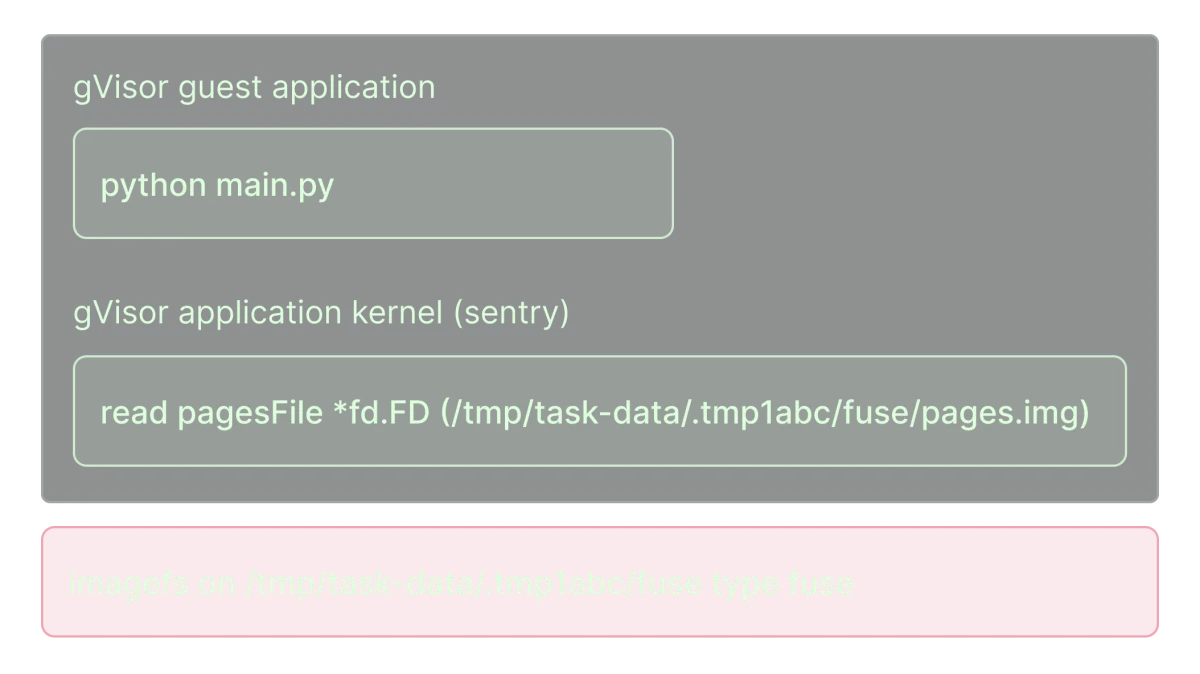
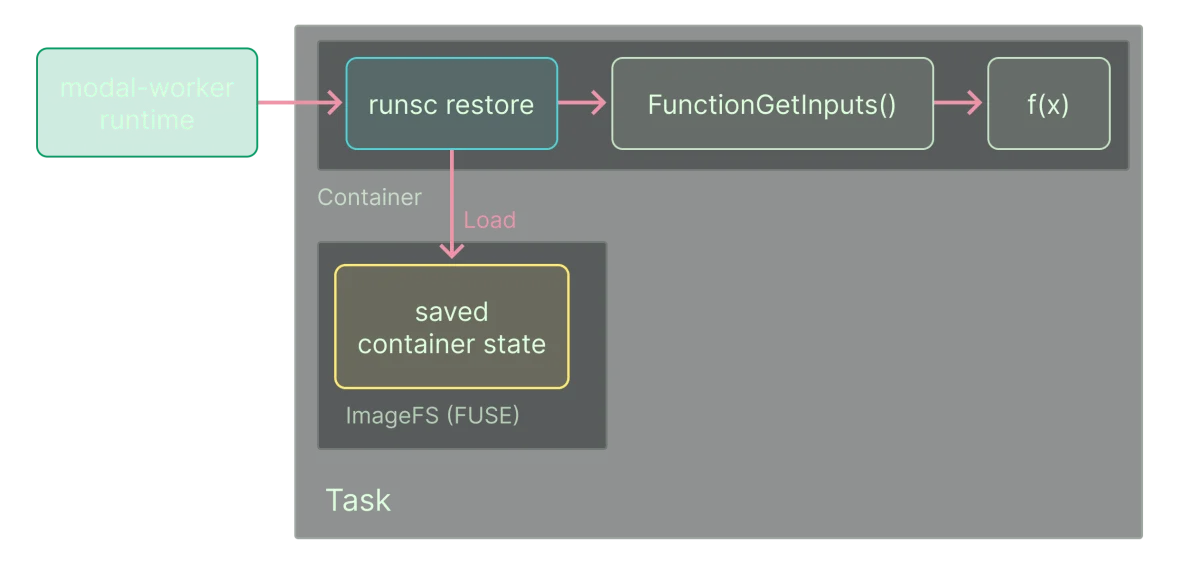
During the restore, gVisor is able to prioritize loading memory pages that the restored process requires while continuing to load additional pages in the background. This optimization helps to minimize latency caused by waiting for the memory pages to become available, which can significantly speed up the execution of restored containers.
Performance Gains Observed
In experiments, Modal found that memory snapshot restores offer a performance enhancement of about 2.5 times compared to standard cold starts. For instance, an inference function for Stable Diffusion, which typically takes 13 seconds to start, can be restored in approximately 3.5 seconds. Similarly, a standard import torch operation, which usually takes about 5 seconds, can now complete in about 1.05 seconds at the 50th percentile and 0.69 seconds at the 0th percentile.
Further Improvements and Challenges
Even with these substantial performance gains, there are areas for optimization. Current implementation reveals CPU pressure due to the aggressive loading of extensive memory pages, leading to occasional CPU stalls that restrict throughput. Further tuning of resource management processes is crucial in order to cope with heavy demands during startup.
Modal is also continually investigating ways to improve data loading speed, especially regarding memory pages that may be served across networks. The company strives for effective optimizations to further decrease restore times as they continue their development efforts in this domain.
Snapshotted Function Lifecycle
Memory snapshots are activated for deployed Functions only on-demand, meaning a Function version may be snapshotted multiple times due to compatibility concerns with specific worker nodes. Modal’s scheduler determines when a snapshot is necessary based on available active snapshots on the workers.
This approach addresses potential issues stemming from hardware incompatibilities, such as the inability of some AWS instances to handle certain CPU instructions that may have been used during previous snapshots. Consequently, Modal actively manages the snapshot lifecycle to make sure restores work seamlessly across the ever-changing fleet of worker nodes.
Complexities and Trade-offs
Though memory snapshots simplify certain aspects of the serverless function launching process, they also bring complexities. Modal’s system involves pausing live containers to freeze them and serialize their state, requiring careful management of applications to ensure they gracefully handle the storage and restoration procedures.
The cooperative nature of checkpointing means functions must adapt to being paused and resumed, which can raise challenges around expected behavior between snapshots. The development team at Modal has implemented fallback strategies to standard container startups if a restored function fails to initialize properly.
How to Enable Memory Snapshots in Modal
Modal Functions can leverage memory snapshots by setting the enable_memory_snapshot=True argument and implementing snapshotting in lifecycle methods with the snap=True directive. An example of this usage is demonstrating how to import the torch library within a Function context.
import pathlib
import modal

image = modal.Image.debian_slim().pip_install("torch")
app = modal.App(name="demo-memory-snapshot")

pathlib.Path("./foo").write_text("disk mutation")

with image.imports():
    import torch  # 26k syscalls comin' right up!

@app.function(enable_memory_snapshot=True)
def f(x: int):
    print(f"Hello from torch {torch.__version__}. You gave me {x=}")
The Function defined will take a memory snapshot after an initial period of execution, allowing a rapid restoration back to this state upon subsequent calls.
Managing GPU State
As the restoration process does not currently support saving GPU state directly to snapshots, manual post-restore management is essential for GPU operations. For instance, a structured approach is adopted to initialize models back to GPU memory after restoring the Function.
import time
import modal

image = (
    modal.Image.debian_slim()
    .pip_install(
        "transformers", "torch", "accelerate", "safetensors",
    )
)
app = modal.App("snap-demo", image=image)

@app.cls(gpu="a10g", enable_memory_snapshot=True)
class GPT2:
    @modal.enter(snap=True)
    def load(self):
        from transformers import AutoModelForCausalLM, AutoTokenizer
        self.model = AutoModelForCausalLM.from_pretrained("/root/cache", use_cache=True)
        self.tokenizer = AutoTokenizer.from_pretrained("gpt2", use_fast=True, use_cache=True)

    @modal.enter(snap=False)
    def setup(self):
        self.model.to("cuda")

    @modal.method()
    def run(self) -> str:
        input_ids = self.tokenizer.encode("What's up?", return_tensors="pt")
        out = self.model.generate(
            input_ids.to("cuda"),
            pad_token_id=self.tokenizer.eos_token_id
        )
        generated_text = self.tokenizer.decode(out[0], skip_special_tokens=True)
        return generated_text
In this way, the Function can speed up inference tasks by utilizing memory snapshots effectively.
Acknowledgments
Special thanks are extended to the gVisor team for their foundational work on checkpoint and restore functionality and to other team members at Modal for their contributions to the design and implementation of memory snapshots.