Datasette Lite Runs a Full Python App in the Browser with Service Workers
- Gate
- Machine Learning
- Departs
- Crew
- John Williams
- Passengers
- 657
A service worker rewrite brings Datasette’s pages, JavaScript plugins and version-specific SQLite builds into browser-based demos.
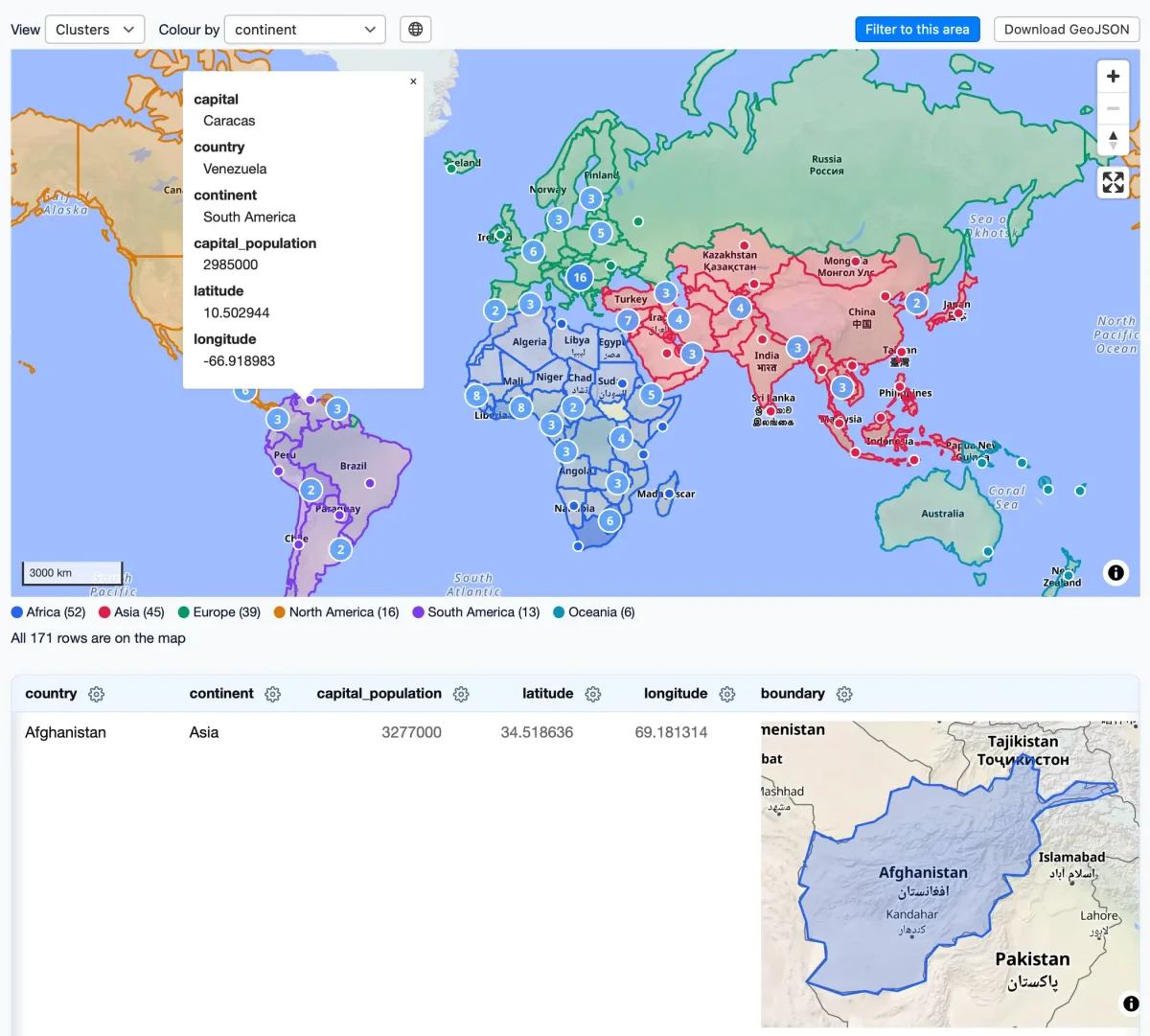
Datasette Lite now runs the Datasette Python application in a browser with pages and JavaScript plugins working much like they do on a server. The rewrite uses service workers to route browser requests to a dedicated Pyodide environment, making it possible to share configured demos through URLs without setting up a web server.
The practical value is reproducibility. A link can specify a Datasette release or Git reference, load a database or other data file, install plugins, and select from more than 100 SQLite versions. That gives developers a compact way to reproduce bugs or show features with a particular combination of code and dependencies.
A configured demo in one URL
One example loads a SQLite database of country boundaries and capital cities, adds the datasette-maplibre plugin, and applies metadata describing the tables and homepage. The resulting view combines an interactive map with a table of the underlying data. The map colors countries by continent, clusters points and can show individual boundary maps.
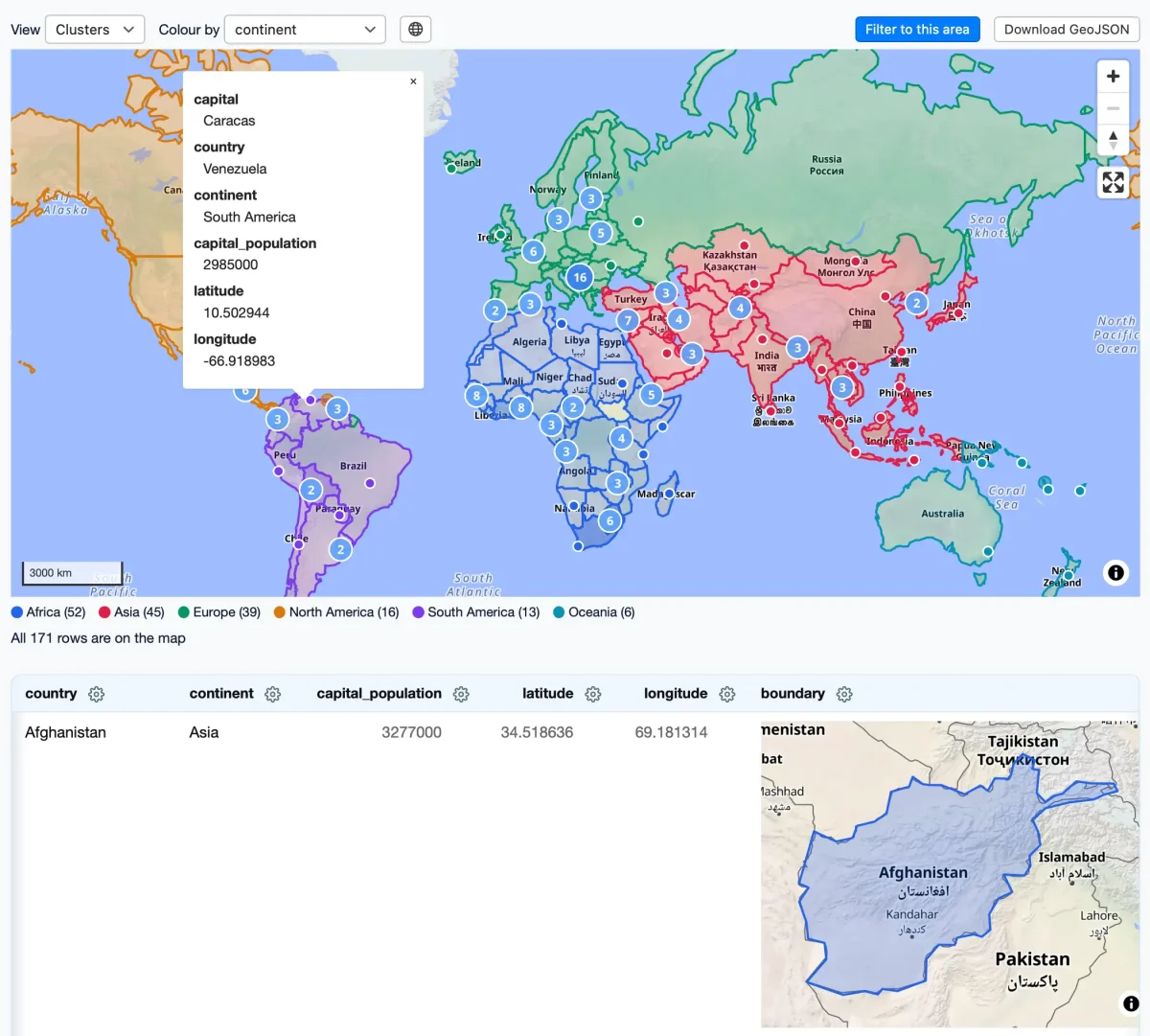
Each part of the URL configures a different layer of the demo. Repeating the install parameter can add multiple plugins from PyPI. The url parameter points to the database, while metadata loads a YAML file that supplies descriptions and other settings. Files served from another host need open CORS headers so the browser can fetch them; the example uses files hosted as Gists.
The fragment after the hash opens a specific SQL view and passes options to the map plugin. In this case, it sets a map position and colors shapes according to the continent column. Encoding the second hash as %23 lets the URL carry both the Datasette page location and the map’s own settings. The supported parameters are documented in the Datasette Lite README.
That level of configuration also helps with software development. A shared link can pin a version of Datasette and a test dataset, so someone else can inspect a bug without installing the application. One example compares pagination on versions 1.0a42 and 1.0a43: the first link reproduces an empty second page, while the second shows the fix.
Why the rewrite uses a service worker
The first Datasette Lite, launched in 2022, ran Python in a Pyodide web worker and inserted generated HTML into the page. It handled basic browsing, but scripts inserted through innerHTML don’t execute. That blocked features that depend on JavaScript, and the earlier worker setup could not load extra JavaScript and CSS resources correctly.
The new design lets Datasette serve a normal set of pages and assets. A service worker registered for the Lite domain intercepts requests, including requests for HTML, JavaScript and CSS. Each browser tab opens an iframe for Datasette pages and starts a web worker with its own application instance.
Requests use a path prefix such as /app/aa94e6851595/, where the random session identifier distinguishes one tab’s application from another. Without that separation, the shared service worker could send requests from different tabs to the same Datasette instance, despite their URLs specifying different plugins or settings.
For each request, the service worker identifies the session and passes the work to the tab that owns it. The page’s script forwards the request to its web worker, where Python runs in Pyodide, adds cookies and calls the Datasette ASGI app. Datasette queries SQLite; the response then travels back through the worker and service worker to the iframe.
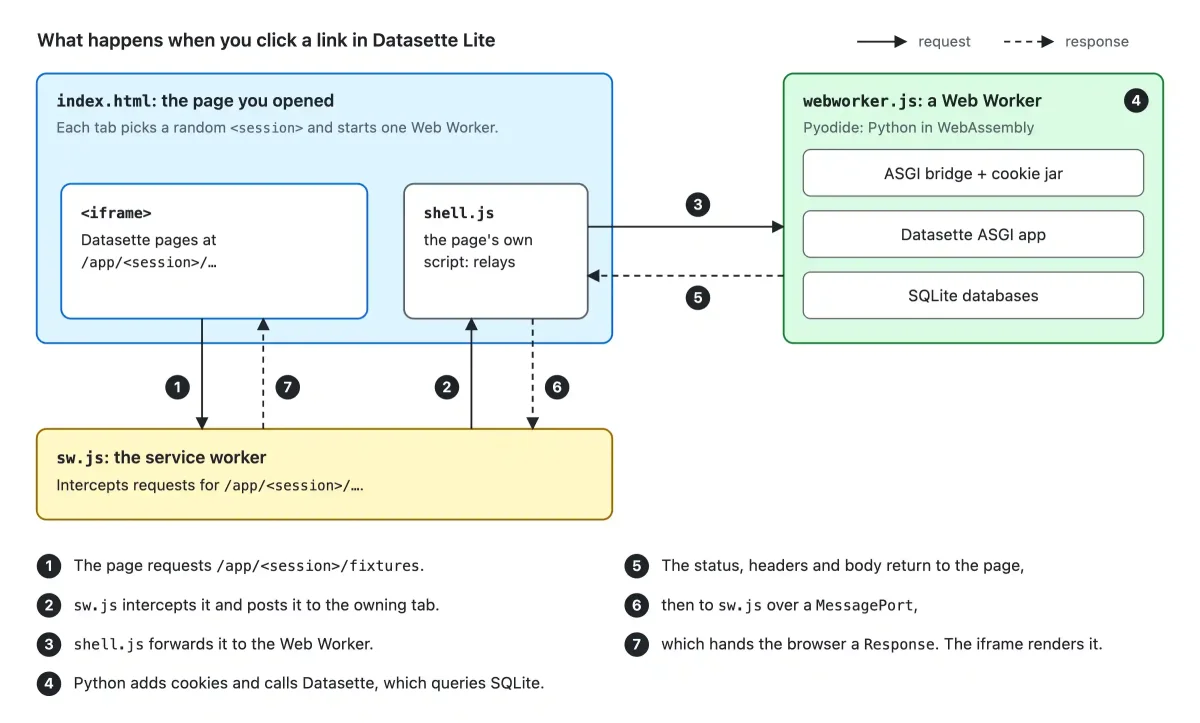
Pyodide still runs in a web worker because a service worker may lose its state after about 30 seconds, depending on the browser. The service worker handles web requests, while the longer-lived worker keeps the Python environment available to process them. The approach grew out of an earlier browser experiment and took time to develop into a production version.
Testing different SQLite releases
Datasette is intended to work with SQLite releases from version 3.25 onward. To make version-specific checks easier, Datasette Lite now accepts a sqlite parameter. It resolves the requested version to a WebAssembly wheel, installs it in Pyodide and configures Datasette to use that build.
The pysqlite3-wasm-wheels repository contains builds for 163 SQLite versions. The latest cited wheel is for SQLite 3.54.1. A companion browser tool can run the same SQL query against selected versions and show where their results differ. In the provided example, a query using json_object and json_array returns different JSON values on SQLite 3.54.0 and 3.54.1.
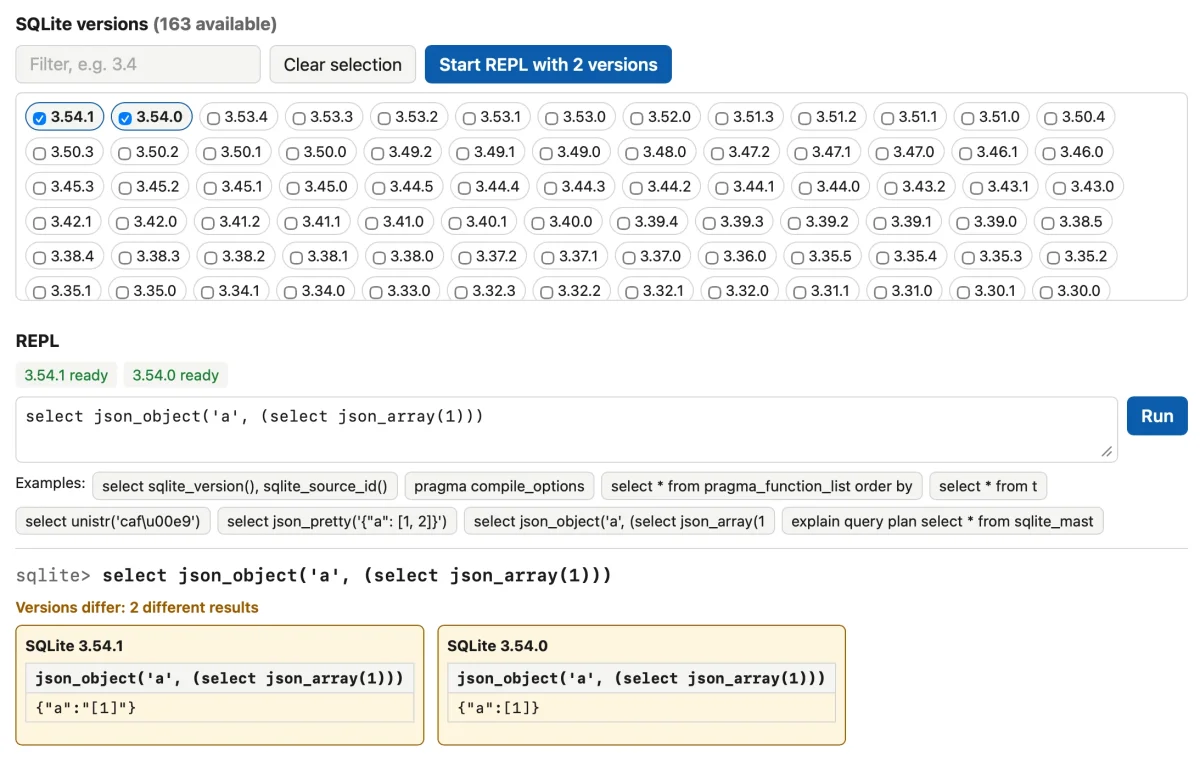
That makes browser-based testing useful beyond Datasette’s own changes: developers can inspect how a query behaves across SQLite releases without changing their local Python setup, then close the tab to discard the environment.
A pattern for Python previews
The architecture could apply to other Python applications that can run under Pyodide. It offers a way to publish interactive previews, demonstrate a feature or package a bug reproduction in a link. Compiled extensions written in C or Rust have been a hurdle, though the article reports that they can now be built for Pyodide, with publication to PyPI supported under PEP 783.
Database choice remains a practical constraint. SQLite fits the browser workflow; PostgreSQL and MySQL can run in WebAssembly, but are less established in this setup. For Python projects that can work within those limits, Datasette Lite shows how a browser can host a useful, URL-configured test environment without a separate server.


